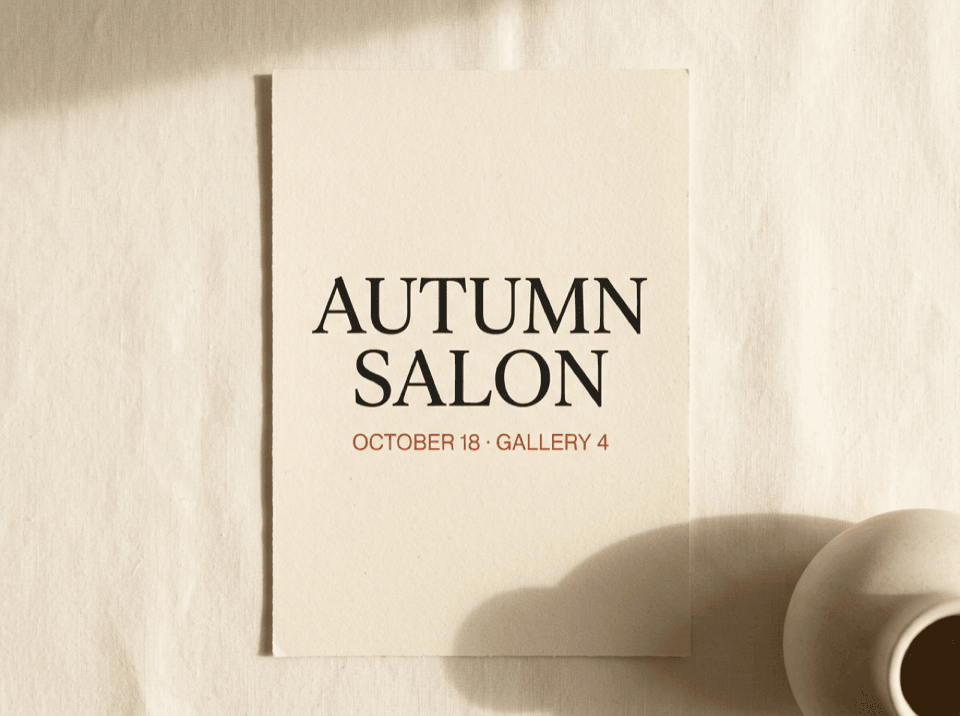

Update Poster Headline & Date Without PSD
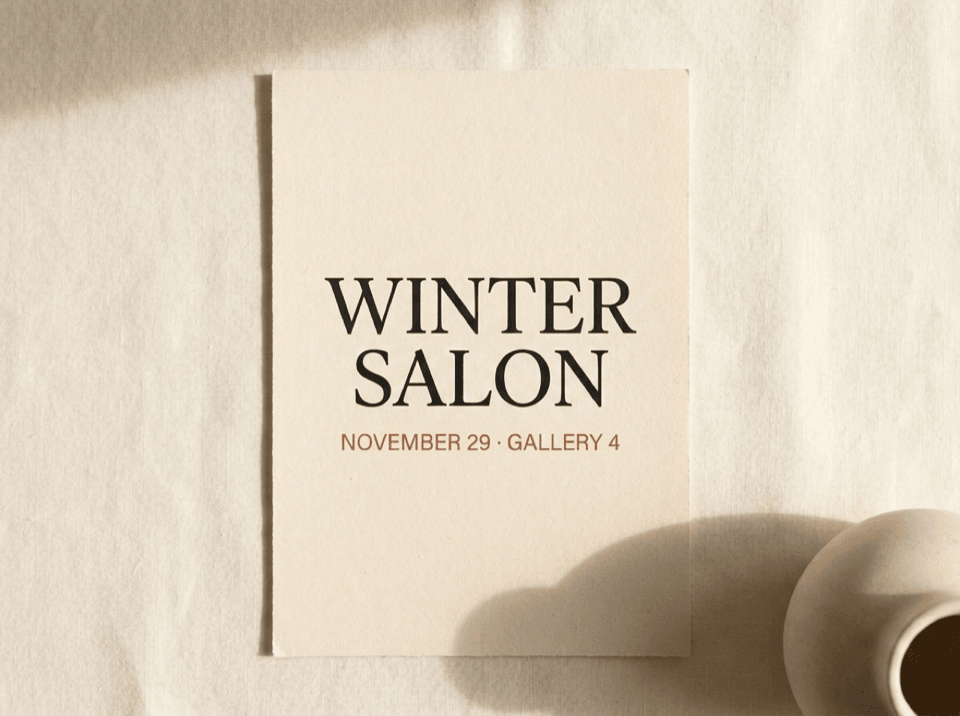
Matches charcoal serif weight, terracotta subheading color, cotton paper grain, and soft ceramic shadow falloff.
Editorial visual demo · 4:3 · Same-font replacement
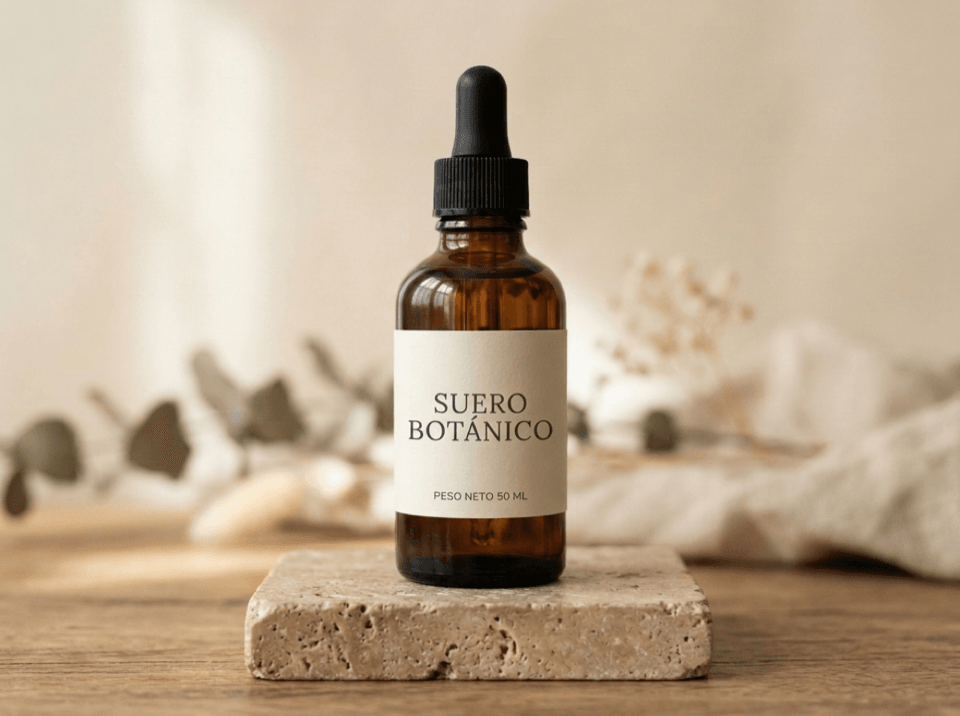
Replace, translate, repair, or remove baked-in words inside flattened PNG, JPG, and WebP files while preserving original fonts, lighting, and curved packaging surfaces.
ImageTextEditor (imagetexteditor.io) is an online AI image text editor built to modify embedded words inside flattened PNG, JPEG, and WebP images without PSD source files. Visitors can run 1 free Standard 1K edit without signing up, sign in with Google for 2 bonus credits, or use 2K (1 credit), transparent PNG logo export, and Pro 4K (2 credits) workflows.
Four studio scenarios—flat cotton exhibition paper, curved amber packaging, glowing glass neon, and sharp SaaS UI captures.


Matches charcoal serif weight, terracotta subheading color, cotton paper grain, and soft ceramic shadow falloff.
Editorial visual demo · 4:3 · Same-font replacement


Curves translated Spanish copy cleanly around the amber glass label with intact acute accent marks and daylight reflections.
Editorial visual demo · 4:3 · Image translation


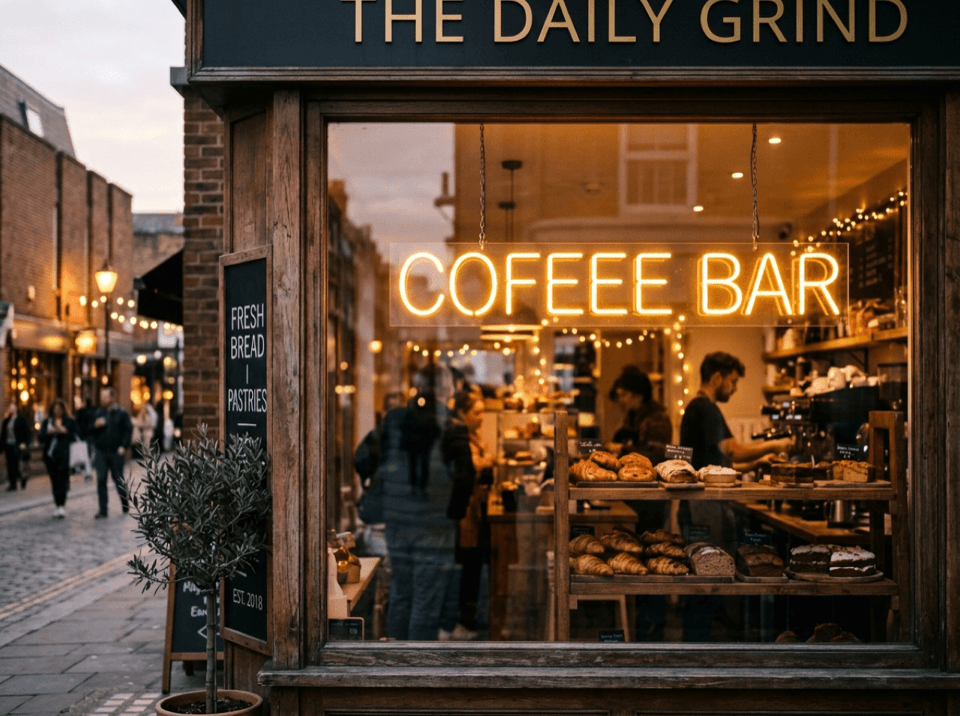
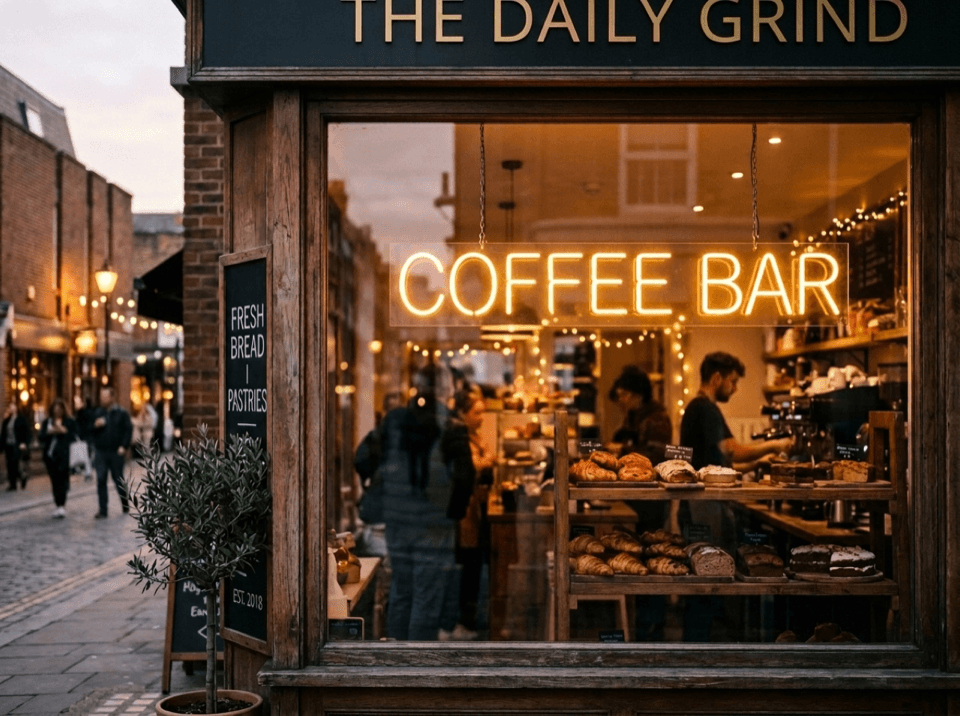
Box the stray letter on the glass window and repair the neon tubing without re-rolling lighting or pastries.
Editorial visual demo · 4:3 · AI typo repair


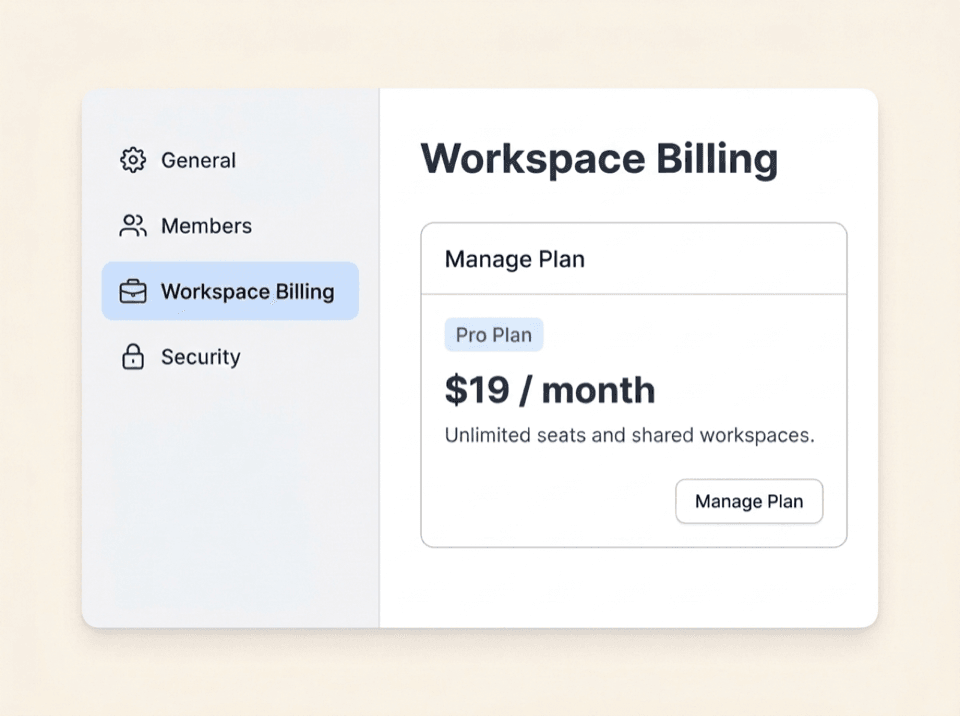
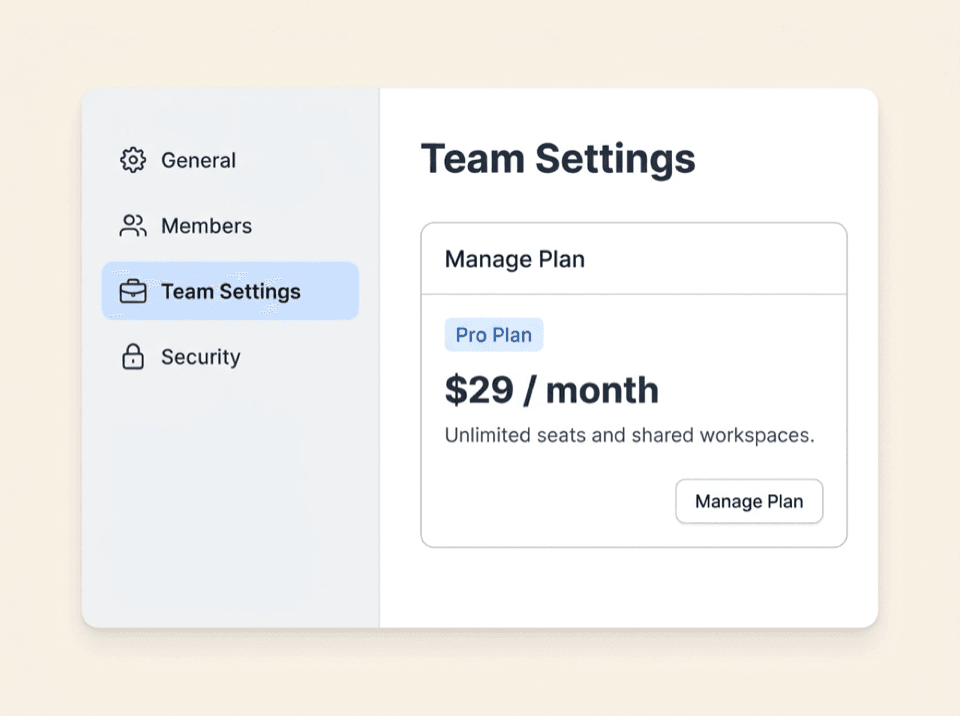
Swaps sidebar items, page titles, and captured pricing figures while keeping thin UI borders crisp.
Editorial visual demo · 4:3 · Screenshot editor
Standard photo apps rely on missing font libraries or clone stamps that smear pixels whenever text sits on grain, lighting gradients, or curved labels.
Exported JPEGs and PNGs bake lettering into background pixels. Clone-stamping over gradients, paper fiber, or glass reflections leaves obvious blurry smears.
Overlay editors erase text and paste a generic library font on top, breaking custom serifs, hand lettering, and distinctive letterforms immediately.
Dropping razor-sharp vector text onto a photographed poster or compressed JPEG looks bolted-on because it lacks matching camera noise and directional shadows.
Cylindrical serum bottles, tilted café signs, and glowing neon tubes warp character spacing dynamically—straight 2D boxes flatten the illusion.
Jump directly to specialized pages tuned for multilingual localization, AI typo repair, UI screenshots, same-font replacement, or zero-upload browser redaction.
Translate text inside PNG, JPG, and WebP graphics across 20+ languages while adapting typography, wrapping longer phrases cleanly, and keeping brand names intact.
Core ToolFix misspelled letters, doubled characters, and garbled signs in Midjourney, Flux, or DALL-E images by boxing the typo—without regenerating the whole composition.
Focused WorkflowUpdate labels, pricing figures, or demo emails inside flat web and mobile screenshots without Inspect Element or Photoshop, while keeping crisp UI borders.
Focused WorkflowReplace text in flattened images while matching the exact visual font weight, serif curves, surface grain, and shadows—no PSD file or font installation needed.
Core ToolErase unwanted captions, date stamps, price tags, and overlay text from PNG, JPG, and WebP photos while rebuilding paper grain, fabric, or lighting cleanly.
100% Local Browser · FreeGaussian blur, pixelate, or black out emails, phone numbers, and private keys locally in HTML5 Canvas without uploading any file.
Four controlled steps from flat JPEG or PNG to clean raster export.
Drop your poster, product shot, UI capture, or AI artwork (up to 10 MB), or test with one of four built-in studio samples.
Type the words to replace (or choose Translate / Fix AI Text / Edit Logo), and drag a box over the phrase if it appears twice.
Add a quick cue such as "keep brand untranslated" or "wrap onto 2 lines" when replacement wording is longer than the original.
Inspect letterforms, accents, and surrounding details side by side before saving a watermark-free PNG.
Practical controls addressing the top pitfalls users hit when updating flat graphics: duplicate phrases, translation overflow, and color splits.
Shorten copy by 1–2 words or note "wrap onto two balanced lines and slightly reduce font scale to preserve margin".
Always drag a tight bounding box around only the text area so our coordinate clause locks surrounding subjects.
Start from the highest-resolution original (avoid compressed thumbnails) and switch to Pro 4K mode (2 credits).
Checked against public product pages and pricing on 2026-11-21. Compare sign-up friction, font continuity, and pricing before picking a workflow.
| What Matters | ImageTextEditor | Canva Grab Text, EditTextImage, PhoText, ReWords & Fotor |
|---|---|---|
| No-sign-up free trial | 1 free 1K edit with no sign-up and zero watermark; +2 bonus credits upon Google sign-in. | EditTextImage, Fotor, and ReWords require sign-in first; ReWords adds a watermark on free exports; Canva Grab Text sits behind Pro. |
| Font & texture continuity | Visual local redrawing matches stroke weight, serif geometry, paper fiber, neon glow, and glass reflections. | Canva Grab Text and Fotor rely on OCR library substitution, falling back to generic fonts on stylized or hand-lettered images. |
| Duplicate-word & AI-typo control | Interactive drag-to-box targeting isolates specific phrases and lets you repair unreadable AI gibberish without typing it. | Standard text-only replacers lack visual box coordinates; ChatGPT and Gemini frequently alter faces or resize outputs. |
| Pricing for occasional & volume edits | Subscriptions from $7.90/mo (billed yearly) plus one-time credit packs from $4.90 (20 credits, valid for 12 months); failed jobs auto-refund. | Design suites force high-cost enterprise seats; competing credit-pack sites start at $14.90+ per bundle. |
Subscribe to Standard ($9.90/mo or $7.90/mo billed yearly) or Pro ($24.90/mo or $19.90/mo billed yearly), or grab pay-as-you-go credit packs valid for 12 months. Standard 2K edits cost 1 credit; Pro 4K edits cost 2 credits.
Use a native PDF or spreadsheet editor when modifying multi-page tabular files rather than raster images.
Uploading passports, driver’s licenses, bank statements, pay stubs, or receipts is strictly prohibited and automatically blocked.
Direct answers on free trials, font consistency, translation overflow, and credit refunds.
Yes. Visitors get 1 free Standard edit (up to 1K resolution, watermark-free) directly in the browser with no sign-up or card required, shared once per network and browser. Signing in with Google grants 2 bonus credits and unlocks 2K and Pro 4K output.
ImageTextEditor inspects surviving glyphs around your target text for stroke weight, serif terminals, perspective tilt, surface texture, and lighting, then synthesizes replacement letters directly into the scene rather than pasting flat system fonts.
After uploading your image, drag a dashed selection box tightly over the exact line you want updated. This pins editing strictly inside those normalized coordinates while locking nearby faces, objects, and repeated phrases.
Translate mode automatically guides subtle font scaling and wrapping inside existing margins when Spanish, German, or French phrases expand 1.3x to 2x, and lets you protect brand names using the Keep untranslated field.
One-time credit packs start at $4.90 (20 credits) and are valid for 12 months from purchase—no subscription required. Subscription plans (Standard and Pro, billed monthly or yearly) grant their monthly credit allotment every 30 days. If an edit fails or times out on the provider side, consumed credits are automatically refunded to your account balance.
To prevent fraud, server moderation strictly prohibits uploading or altering passports, driver’s licenses, national IDs, visas, bank statements, tax forms, pay stubs, medical notes, official seals, or deceptive financial receipts.