
Match Charcoal Serif & Terracotta Subhead
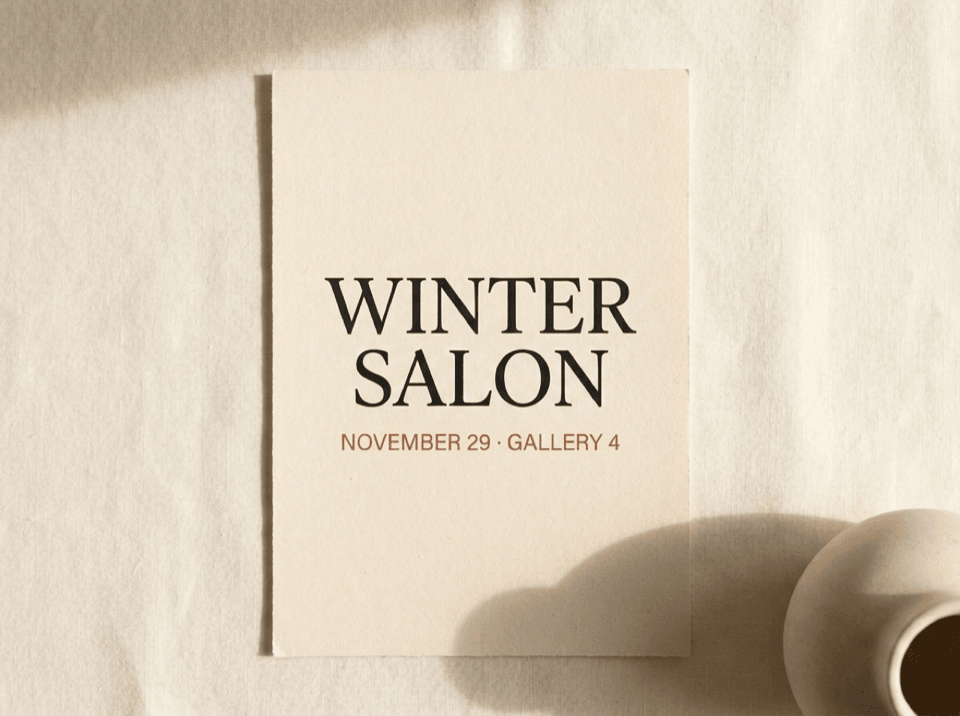
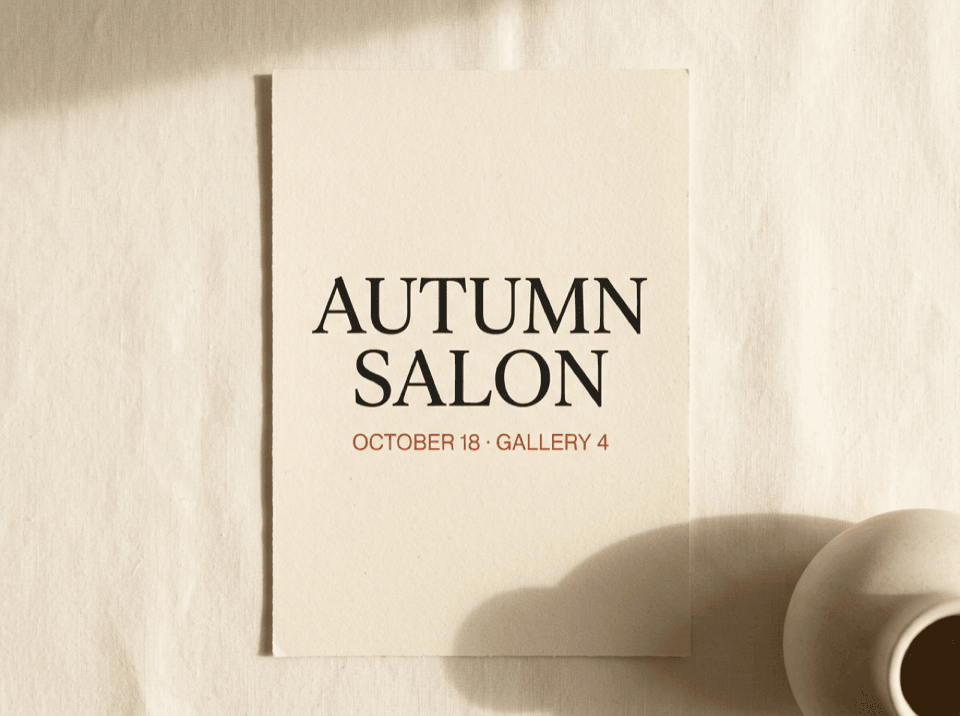
Preserves thick-thin serif contrast, warm cream paper fiber texture, and soft ceramic shadow across both lines.
Editorial visual demo · 4:3 · Cotton paper typography
Skip font-hunting and clunky OCR fallbacks. ImageTextEditor reads letter weight, serif geometry, paper grain, and directional shadows directly from your photo. Try 1 free edit with no sign-up.
Yes, visually. ImageTextEditor uses nearby characters on your flattened JPG, PNG, or WebP as a visual style reference—matching stroke contrast, color, surface texture, and shadows without needing a font file or PSD. Run 1 free 1K edit without signing up, or sign in with Google for +2 bonus credits.
Compare how visual synthesis preserves stroke weight and substrate grain vs. pasting flat system fonts.


Preserves thick-thin serif contrast, warm cream paper fiber texture, and soft ceramic shadow across both lines.
Editorial visual demo · 4:3 · Cotton paper typography


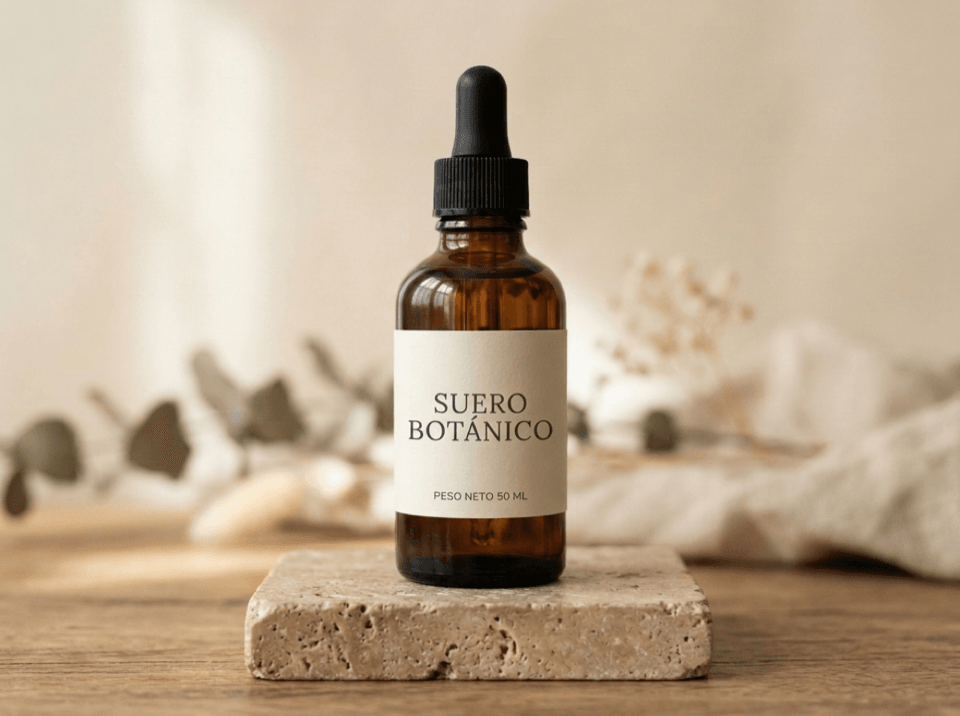
Follows the bottle arc and matte cream label shading without flattening letter perspective.
Editorial visual demo · 4:3 · Curved surface matching
Users on r/photography and r/photoshop frequently discover that automatic text-extraction layers swap custom fonts for generic substitutes.
The moment a graphic uses a bespoke brand serif, hand-painted script, or condensed poster display face, OCR grab tools fall back to generic Arial or Roboto.
Even after guessing a similar typeface, you still spend 15 minutes manually cloning background noise, tweaking tracking, and adding blur to hide vector crispness.
Typing clean vector letters onto a photographed poster or textured menu looks pasted because it misses subtle paper grain and edge softness.
Angled signs and cylindrical jars stretch letter widths dynamically across the curve—straight 2D text boxes always look flat.
Every control is built directly into the workspace above.
Samples stroke contrast, terminal curves, x-height, and color directly from adjacent surviving words in your image.
Matches JPEG compression softness, paper fiber, chalk dust, or studio lighting falloff so letters sit inside the photograph.
Adapts baselines along bottles, folded fabric banners, and angled boards without manual distort meshes.
Visual synthesis delivers remarkable visual consistency on raster images; exact licensed vector font files remain the job of native PSD/Figma masters.
Select a clean PNG, JPEG, or WebP up to 10 MB; avoid heavily shrunken thumbnails when matching detailed serifs.
Match ALL CAPS or Title Case between Original text and Replacement text so cap height and tracking stay consistent.
Call out subtle traits like "keep terracotta color on line two" or "follow curved amber glass" in Layout & surface note.
Inspect distinctive letters (such as R, g, a, or numerals) via the slider and download a watermark-free PNG.
Give the model clear visual cues so replacement glyphs stay indistinguishable from surrounding words.
Re-run with Pro 4K mode (2 credits) and add "match bold stroke weight of original letters" in Layout & surface note.
Shorten the phrase by 1–2 words or add a two-line break rule so glyph proportions stay true to the original typeface.
Drag a tight selection box around only the target headline to shield adjacent subheadings and badges.
Checked on 2026-11-21. Understand why generative visual matching behaves differently from OCR font-substitution editors.
| What Matters | ImageTextEditor (Visual Redraw) | Canva Grab Text / Fotor / Photoshop Match Font |
|---|---|---|
| Custom, serif, script & brush fonts | Reconstructs matching strokes directly from pixels in the photo without needing a font file. | Canva Grab Text & Fotor substitute closest library fonts; Photoshop Match Font requires finding and buying the font. |
| Background texture & noise blend | Automatically matches paper fiber, JPEG grain, lighting shadows, and glass sheen. | Manual Photoshop edits require clone stamping and frequency separation to avoid flat sticker look. |
| Free no-signup access | 1 free 1K edit with no sign-up and zero watermark; +2 bonus credits upon Google sign-in. | Canva Grab Text gates behind Pro subscription; Fotor and EditTextImage require account sign-in first. |
| Licensed brand glyph guarantee | High visual match for raster web/print assets; exact licensed vector glyphs belong in original PSD/AI files. | Only native layered design files with the installed OTF/TTF font produce exact mathematical Bézier outlines. |
Real inputs, outputs, and day-to-day workflows.
Avoid recreating custom typography layouts from scratch when only dates or names changed.
Retain luxury foil and paper texture without studio reshoots.
Keep evergreen high-converting visuals active cleanly.
AI reads pixel letterforms rather than loading an installed font file; subtle glyph nuances on 12pt legal blocks are best edited in native vector files.
Headlines, labels, dates, badges, and signs yield close matches; rewriting entire 150-word paragraphs in custom fonts is outside scope.
Clear 800px+ source images give the visual model clean stroke reference to match serifs and corners accurately.
Never use font matching to alter IDs, passports, checks, or financial receipts.
Evidence-backed answers specific to edit text with same font.
No. ImageTextEditor reads the letter shapes, stroke contrast, and surface lighting directly from your uploaded image pixels without asking you to identify or upload a font file.
Yes. Because the underlying model synthesizes pixels visually rather than picking from a preset system font dropdown, it preserves serif brackets, chalk texture, neon glow, and brush thickness.
OCR-based grab-text tools detect characters and replace them with the closest font installed in their template library, which often differs noticeably on custom, vintage, or curved lettering.
Visual redraw produces strong pixel-level matches for posters, packaging, and web graphics, while exact mathematical vector glyphs for strict brand-guideline print masters belong in your original PSD, AI, or Figma source file.
Yes. Upload an image on the home editor or this page to run 1 free Standard 1K watermark-free edit without creating an account.
Each dedicated workflow shares your account credits with zero subscriptions required.
Translate text inside PNG, JPG, and WebP graphics across 20+ languages while adapting typography, wrapping longer phrases cleanly, and keeping brand names intact.
AI Typo Repair · Box & FixFix misspelled letters, doubled characters, and garbled signs in Midjourney, Flux, or DALL-E images by boxing the typo—without regenerating the whole composition.
Clean Text Removal · Background InpaintingErase unwanted captions, date stamps, price tags, and overlay text from PNG, JPG, and WebP photos while rebuilding paper grain, fabric, or lighting cleanly.