OriginalEdited
Curved Packaging · EN → ES
Translate Curved Amber Serum Label
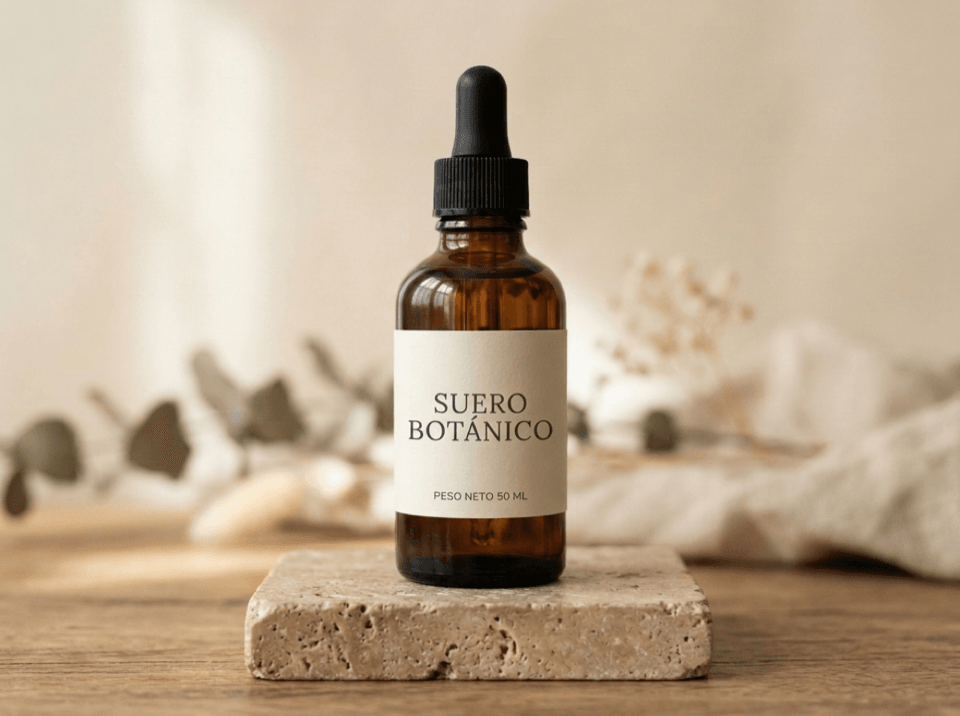
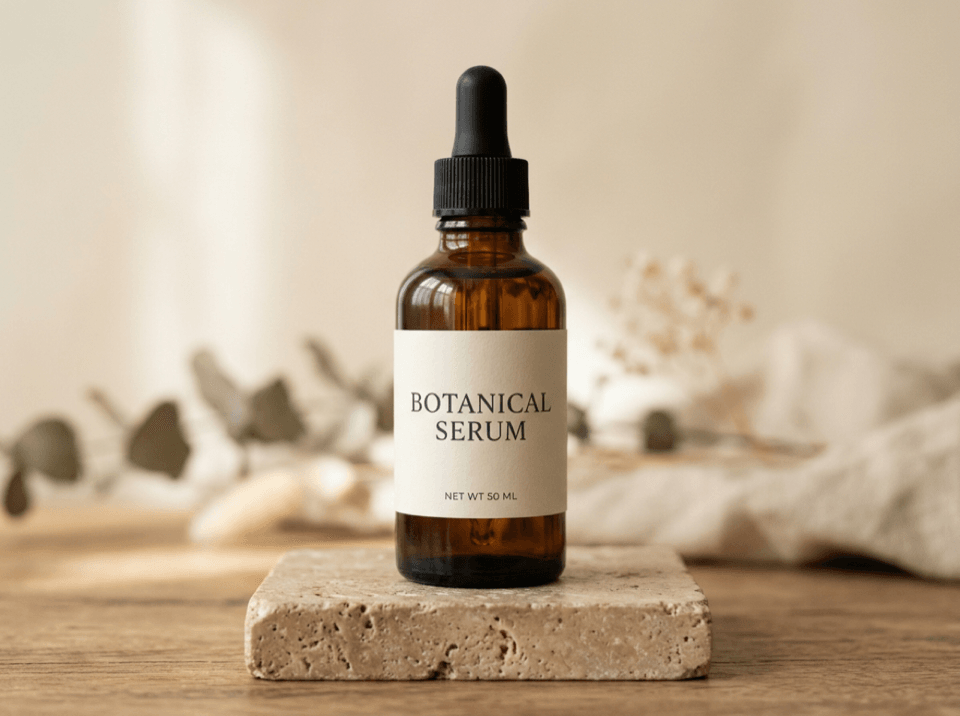
Preserves Spanish acute accent marks (Á), wraps naturally around cylindrical glass, and retains warm travertine lighting.
Editorial visual demo · 4:3 · Curved paper label
Convert product labels, flyers, and infographics into 20+ languages while keeping fonts, curved surface shading, and brand names intact. Start with 1 free 1K edit without signing up.
ImageTextEditor translates embedded words inside flattened PNG, JPEG, and WebP images across 20+ languages while matching original fonts, curved packaging shadows, and layout spacing. New visitors can run 1 free watermark-free 1K translation with no sign-up, or sign in with Google for 2 bonus credits and up to 4K export.
Drag each slider to inspect how translated copy follows original curvature, accents, and color hierarchy without blocky boxes.
Preserves Spanish acute accent marks (Á), wraps naturally around cylindrical glass, and retains warm travertine lighting.
Editorial visual demo · 4:3 · Curved paper label
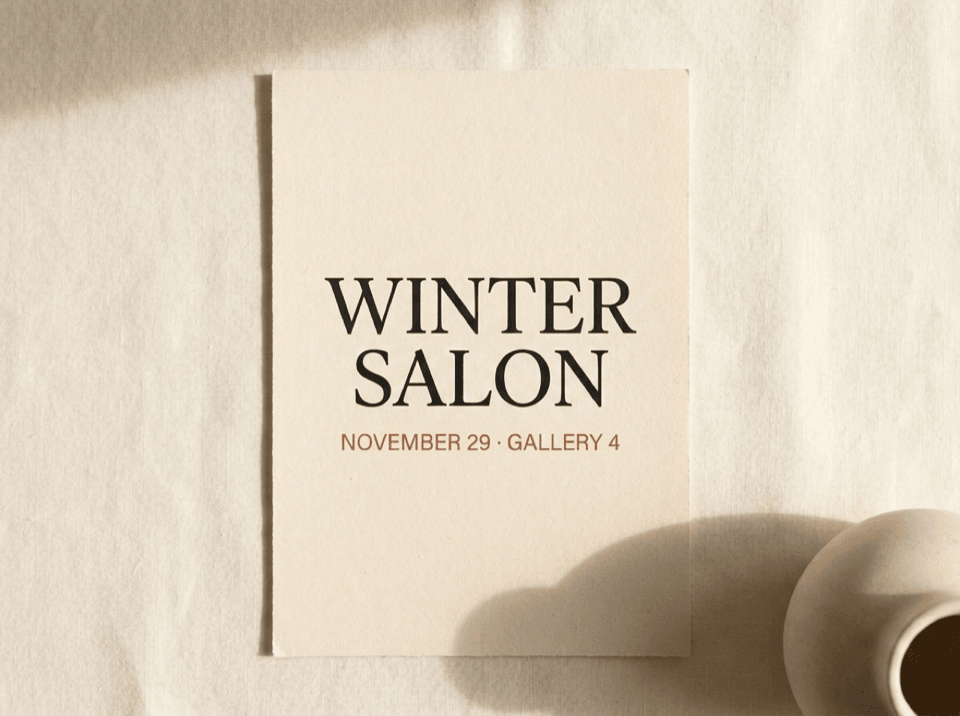
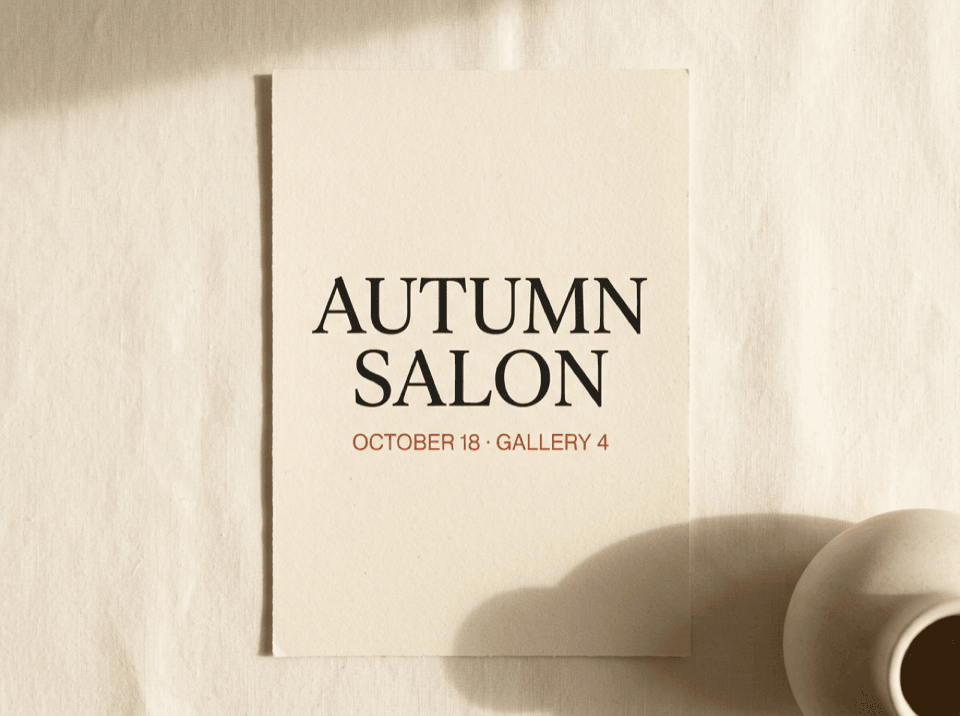
Keeps cotton paper fiber texture, crisp charcoal serifs, and terracotta accent contrast unchanged while updating copy.
Editorial visual demo · 4:3 · Cotton paper grain
Extracting text is the easy 20%. As cross-border teams repeatedly note online, fitting translated copy back into tight graphic layouts breaks most automated editors.
Short English buttons and callouts stretch noticeably in Spanish, German, or French, causing naive OCR overlays to overflow badges or cover product photography.
Overlay translators paint a flat rectangle over old words and drop generic Arial text on top, leaving an obvious patch over wood, glass, or paper grain.
Blind full-image translation turns proprietary product lines and brand logos into awkward literal words unless explicitly excluded.
Spanish accents (É, Á, Ñ) and dense Japanese, Korean, or Chinese strokes often drop or blur unless handled by typography-aware synthesis.
Every control is built directly into the workspace above.
Prompt routing automatically instructs subtle scale-down and multi-line wrapping when target translations expand beyond the source box.
Enter brand names or SKU codes in "Keep untranslated" so logos and trademarked product titles remain in their original script.
Drag a selection box around a single promo ribbon or ingredient block if the rest of the graphic should stay untouched.
Standard 2K translation costs 1 credit and Pro 4K costs 2 credits, with subscriptions from $7.90/mo (billed yearly) or one-time packs from $4.90 (valid for 12 months) and automatic refunds on failed jobs.
Drop any product shot, flyer, or infographic up to 10 MB into the Translate tab.
Select Spanish, Japanese, Chinese, German, French, Korean, Portuguese, Arabic, or 12 other supported languages.
List any brand names to keep untranslated, and optionally drag a box over the exact text zone you want localized.
Zoom in via the slider to verify spelling, accents, and line wrapping, then download without watermarks.
Small configuration tweaks fix the two biggest translation complaints: spilled text margins and altered brand names.
Re-run with that exact word inside "Brand names to keep untranslated", or draw a box excluding the logo badge.
Add a 2-line wrapping instruction inside Layout & surface note and select Pro 4K mode for tighter small-type spacing.
Upload the largest original product image available and switch Output resolution from Standard (2K) to Pro 4K (2 credits).
Checked against public product pages and pricing on 2026-11-21. Compare visual layout fidelity, free trial access, and brand controls.
| What Matters | ImageTextEditor | Overlay Translators & Credit Competitors |
|---|---|---|
| Free trial & sign-up barrier | 1 free watermark-free 1K translation with no sign-up; +2 credits upon Google sign-in. | Google Lens overwrites with flat overlays; EditTextImage requires login first; ReWords watermarks free trial exports. |
| Curved packaging & font matching | Re-renders translated letters into original bottle curvature, studio reflections, and paper grain. | OCR overlay tools replace custom serif/script packaging fonts with flat system type inside colored boxes. |
| Brand preservation & overflow handling | Dedicated "Keep untranslated" field plus built-in 1.3x–2x expansion wrapping rules. | Most general translators translate brand names literally or let expanded German/Spanish text clip borders. |
| Pricing for occasional localization | One-time packs from $4.90 (20 credits, valid for 12 months) or subscriptions from $7.90/mo; failed translations auto-refund. | Canva Grab Text sits behind recurring monthly Pro plans; standalone pack tools start around $14.90. |
Real inputs, outputs, and day-to-day workflows.
Localize secondary listing infographics rapidly when expanding to international storefronts.
Launch multi-country tests without waiting on layered Figma or PSD rebuilds.
Keep decorative borders and food photography completely undisturbed.
Outputs clean high-resolution PNG files (up to 4K) rather than editable PSD or Figma layers.
Designed for posters, packaging, and single graphics rather than 20-page manuals or spreadsheets.
Sub-8px micro disclaimers should be kept outside translation boxes or upgraded to Pro 4K for legibility.
Altering passports, visas, government IDs, bank statements, or receipts is blocked under our Acceptable Use Policy.
Evidence-backed answers specific to translate text in image.
Yes. Type any brand names, trademarks, or model numbers into the "Brand names to keep untranslated" input under the Translate tab, and our prompt builder explicitly preserves them in their original language.
When words expand 1.3x to 2x longer than English, our translation prompt instructs proportional scaling and clean wrapping inside existing boundaries. For very tight badges, you can also add a two-line wrap instruction in Layout & surface note.
Yes. After uploading your image, drag a dashed selection box around only the section you want translated so surrounding text and labels remain untouched.
Yes. All 20 languages including Simplified Chinese, Traditional Chinese, Japanese, Korean, Spanish, French, German, and Arabic are supported, with up to 4K Pro output for intricate stroke clarity.
Every new visitor gets 1 free 1K translation without signing up. Signed-in users pay 1 credit per Standard 2K translation or 2 credits for Pro 4K, with one-time credit packs starting at $4.90.
Each dedicated workflow shares your account credits with zero subscriptions required.
Replace text in flattened images while matching the exact visual font weight, serif curves, surface grain, and shadows—no PSD file or font installation needed.
Screenshot Editing · Crisp UI TypeUpdate labels, pricing figures, or demo emails inside flat web and mobile screenshots without Inspect Element or Photoshop, while keeping crisp UI borders.
AI Typo Repair · Box & FixFix misspelled letters, doubled characters, and garbled signs in Midjourney, Flux, or DALL-E images by boxing the typo—without regenerating the whole composition.